Assignments end up in Notes
You capture things quickly but do not always revisit them.
 TextTodo
Completely freeNo app to download
Text assignments, reminders, and schedule changes in plain English. TextTodo keeps them in one iMessage conversation and can work with Google Calendar when you want it to.
iPhone and iMessage required. Built for students. Google Calendar is optional. No dashboard to maintain.
 Scan with your iPhoneOr use the button above to open Messages directly.
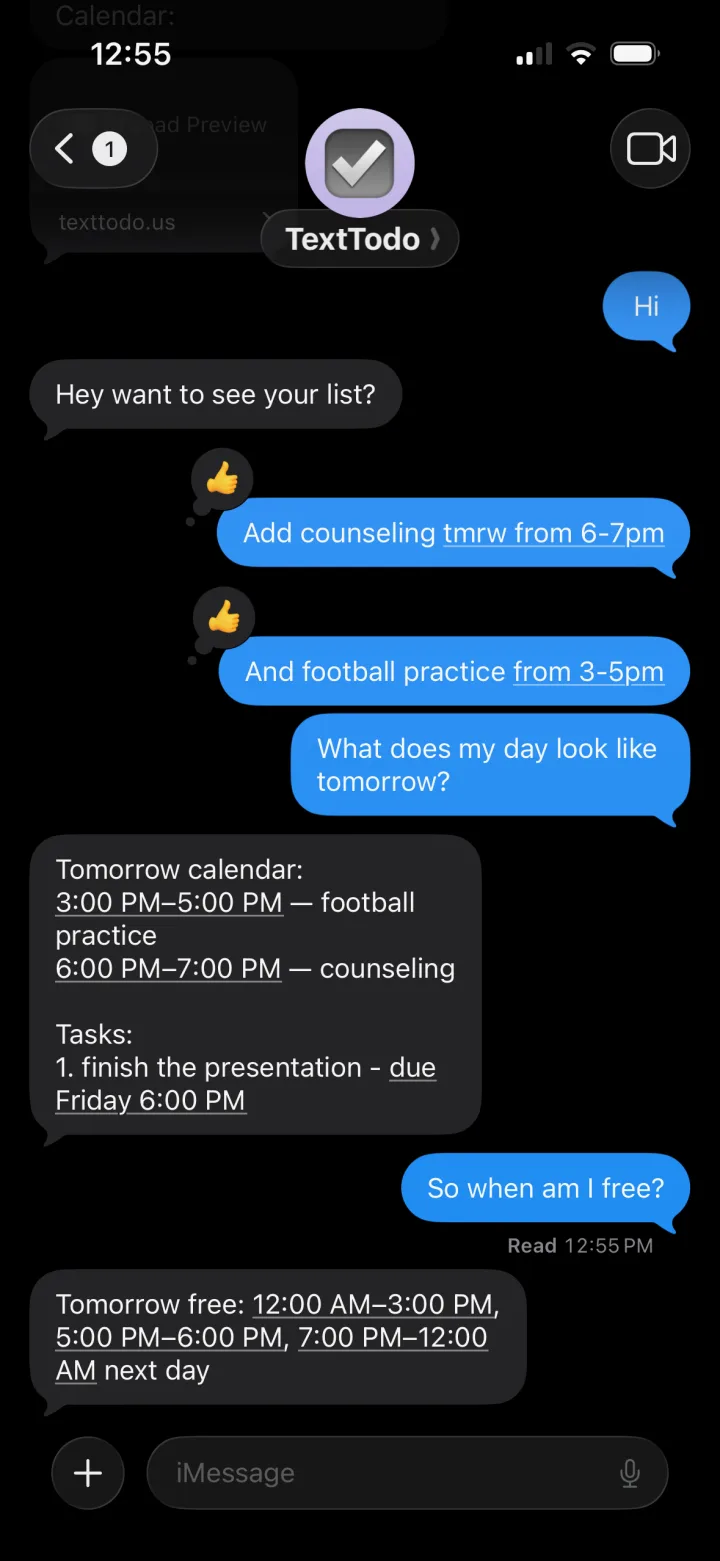
One conversation
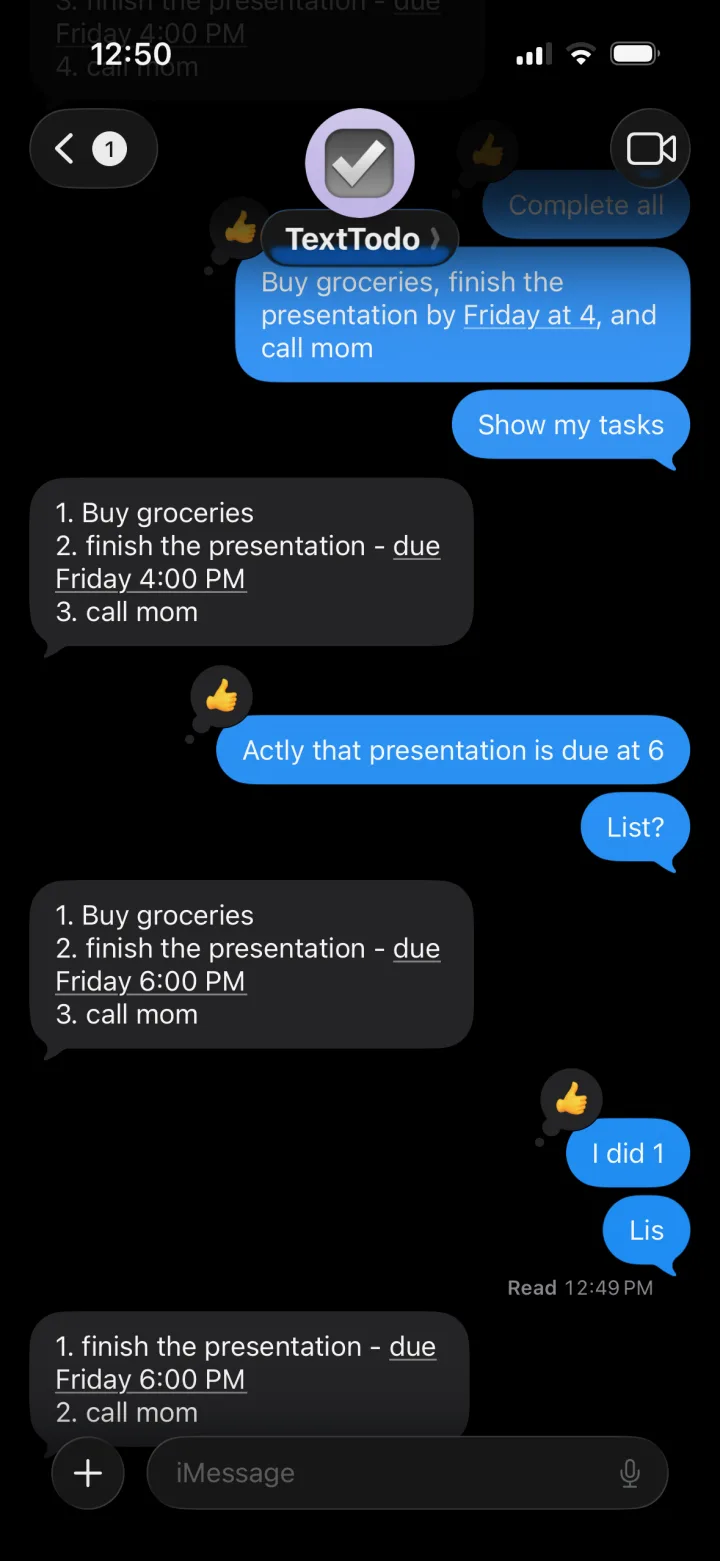
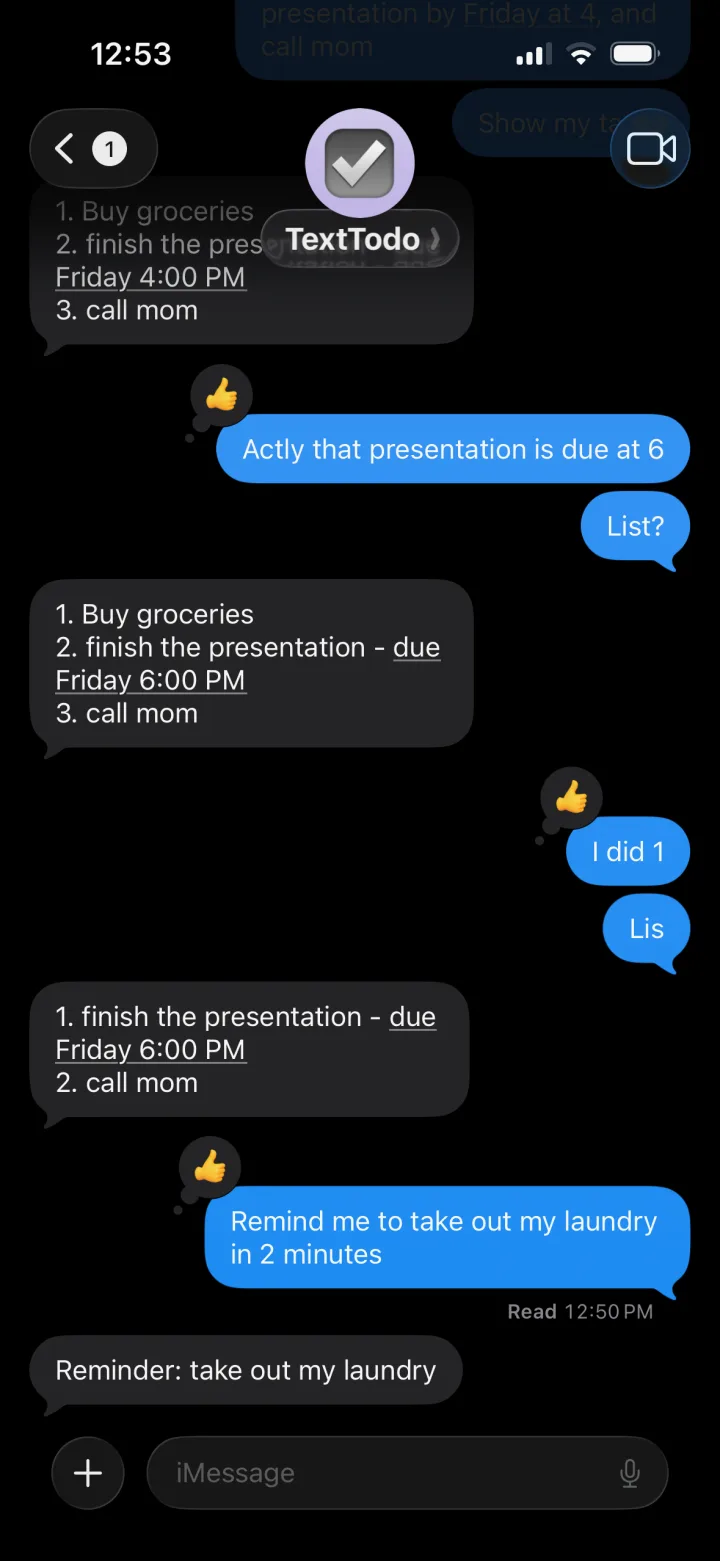
TextTodo keeps the entire loop in Messages: capture the work, correct the details, choose the useful reminder, and finish it when it is done.
Send the obligation before it disappears into Notes or memory.
Change the detail naturally without reopening a form.
The useful nudge returns in the same conversation.
Optional Google Calendar context helps show where the work can fit.
Close the loop where it started.
Assignments remain tasks. Classes, practices, shifts, and appointments remain Calendar events.
Who it is for
TextTodo is for students who need somewhere fast to put the work before it disappears—not for people looking for another system to maintain.
You capture things quickly but do not always revisit them.
Fixed commitments have a place, but assignments and reminders are scattered.
You have tried planners or task managers and stopped opening them.
You want the reminder to return in the conversation where you created it.
Trust and control
TextTodo is designed to act on what you request, stop on ambiguous Calendar changes, and keep optional systems optional.
Tasks and reminders work without connecting Google Calendar.
Recent conversation provides context, but it does not independently authorize a change.
Planning shows a proposal before Calendar blocks are created.
Users can clear conversation context, disconnect Calendar, or request deletion.
TextTodo may use Google Gemini to interpret messages and relevant task context. Google Calendar data is not used for advertising or to train general-purpose AI models. Read the Privacy Policy for provider, retention, and deletion details.
Founder story
Verified evidence
FAQ
Direct answers about how TextTodo works today.
No. TextTodo currently requires a direct iMessage conversation. SMS and group chats are not supported.
No. Tasks and reminders work without it. Google Calendar is optional.
The current version works with one Google account’s primary Calendar. Apple Calendar, Outlook, secondary calendars, recurring-event edits, and all-day-event edits are not supported.
No. There is no separate TextTodo app to download. TextTodo’s public task experience lives in Messages, while the website provides product information, security details, and documentation.
Correct it in the next message or provide the missing date or time. Ambiguous Calendar changes should stop and ask for clarification rather than guessing.
TextTodo may use Google Gemini to interpret messages and relevant task context. Read the Privacy Policy for processing and deletion details. Reminders are a convenience feature and should not be used for emergency, medical, financial, or safety-critical timing.
TextTodo is completely free. No app to download.
Start small
Start with one real assignment, reminder, or commitment.
Completely free. No app to download. Direct iMessage only.