Notes captures it
Fast in the moment, easy to forget later.
 TextTodo
College iMessage only
Capture the work in iMessage, get reminded when you can act, and use Google Calendar for the commitments that actually have a start and end.
The scattered-work problem
A professor changes a deadline after class. A study group settles on a time in Messages. A shift changes in an email. TextTodo gives those loose ends one quick place to land before you decide what deserves a reminder or Calendar time.
Fast in the moment, easy to forget later.
Good for fixed time, awkward for unfinished work.
The update is visible now but not when you need to act.
Until a crowded week breaks the connection.
Three realistic workflows
Tasks are obligations. Reminders are chosen interruptions. Calendar events are commitments with a start and end.
After class
“Add the econ problem set for Tuesday.” Then: “Actually it is due Wednesday at 5.”
Before a shift
“What is overdue and due tomorrow?” Then add a reminder for the item you can handle after work.
Planning tomorrow
Connect Google Calendar optionally, ask when you are free, and preview a plan before creating work blocks.
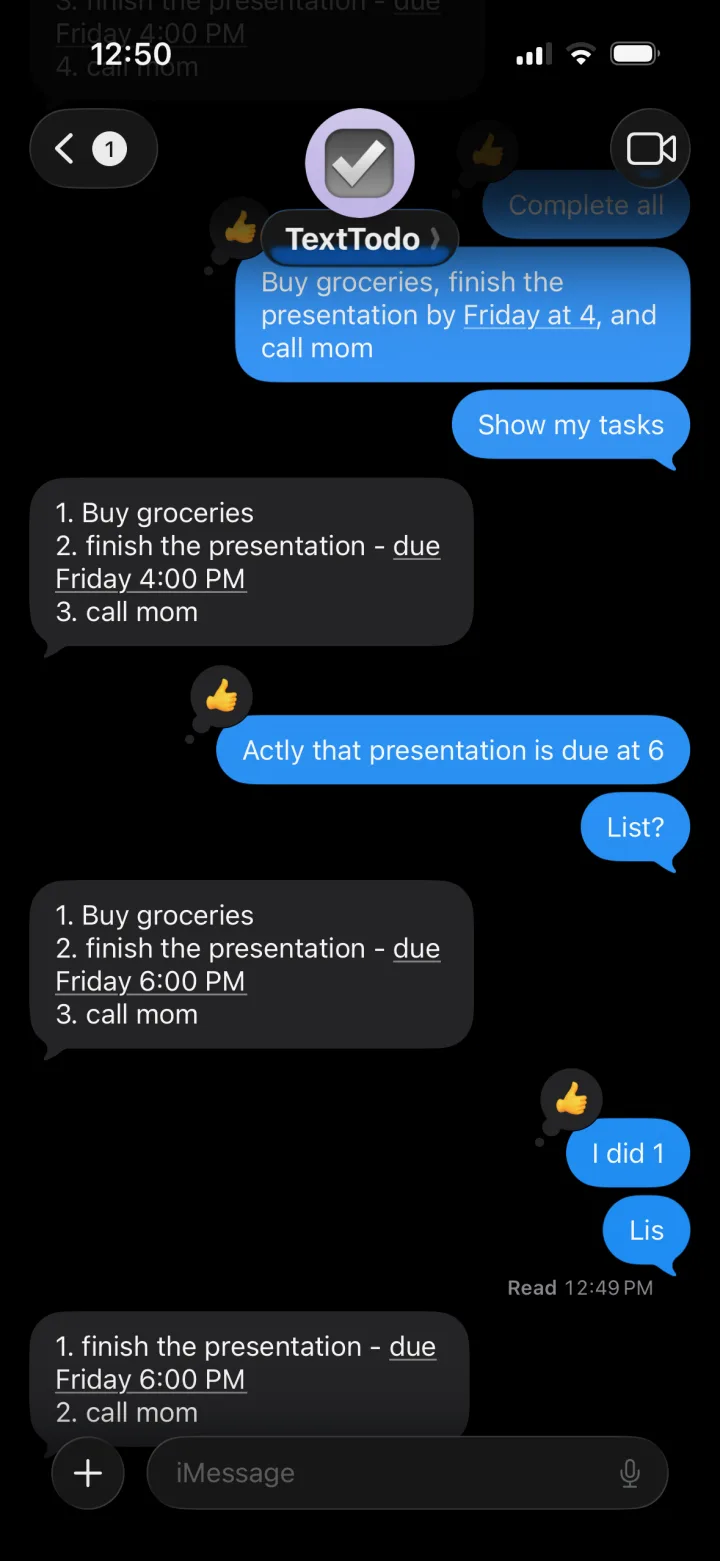
Real product conversation
Add work, refer back to it, and correct the date without learning command syntax.
Honest limitations
TextTodo is most useful when its narrow shape matches your existing habits.
No SMS, Android, or group-chat support.
Calendar is optional and limited to one account’s primary Calendar.
No LMS imports, grade tracking, or institutional relationship.
The public task experience stays in Messages.
Plans need task durations and confirmation before blocks are created.
Do not use reminders for safety-critical timing.
Trust before access
Tasks and reminders work without a Google connection. Current-message authorization, preview-first plans, reset controls, Calendar disconnect, and deletion requests are documented plainly.
Your to-do list lives in iMessage
TextTodo is completely free. No app to download.